


1. Fault Name: Forward Light PD Alarm
Protective Measures: Disconnect the main power supply and turn off the laser.
Possible Reason: The internal PD of the laser cannot detect the laser light.
Solution:
- Restart the laser without turning on the laser and check if there is red light. If there is no red light, please contact customer service.
- If there is red light, check if the related module can activate the laser. Check if the DC power supply voltage output of the module is normal.
2. Fault Name: Excessive Back Reflection Alarm
Protective Measures: Disconnect the main power supply and turn off the laser.
Possible Reason: The beam combining module of the laser detects excessive back reflections.
Solution:
- Check the focus position of the laser.
- Check if the material is placed horizontally.
- Check if the material is a highly reflective material.
- Check if the material thickness exceeds the limit. It should not cause an alarm if it's not cut through.
- Turn off the laser, pause for 3-5 minutes, then restart the laser and activate the laser.
3. Fault Name: Pump Source Temperature Alarm
Protective Measures: Disconnect the main power supply and turn off the laser.
Possible Reason: The pump source temperature of the laser module is too high, triggering a temperature alarm.
Solution:
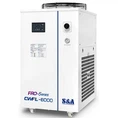
- Turn off the laser and check if the water cooler's flow rate and water temperature are normal, and if the water pipe is clogged.
- After checking, restart the laser. The laser should resume normal operation. If the issue persists, contact customer service.
4. Fault Name: QBH Installation Alarm
Protective Measures: Disconnect the main power supply and turn off the laser.
Possible Reason: Poor contact between the QBH output head of the laser and the cutting head.
Solution: Turn off the laser, check the QBH output head and cutting head of the laser, and reinstall them.
5. Fault Name: Emergency Stop Alarm
Protective Measures: Disconnect the main power supply and turn off the laser.
Possible Reason: The emergency stop switch has been pressed.
Solution: Restore the emergency stop switch to its normal state and restart the laser.
6. Fault Name: Water Flow Alarm
Protective Measures: Disconnect the main power supply and turn off the laser.
Possible Reason: Abnormality in the water cooler resulting in reduced water flow.
Solution: Turn off the laser, check if the water cooler's flow rate and water temperature are normal, and if the water pipe is clogged. After checking, restart the laser and the laser should resume normal operation.
7. Fault Name: Communication Abnormality Alarm
Protective Measures: Disconnect the main power supply and turn off the laser.
Possible Reason: No signal transmission between the single module communication cable and the main module.
Solution:
- Check if the signal cable between the single module and the main module is loose.
- Check if the single module can start up normally, if there is red light, and if the auxiliary power supply voltage output is working normally.
8. Fault Name: Maximum Current Alarm
Protective Measures: Disconnect the main power supply and turn off the laser.
Possible Reason: The working current of the single module pump source exceeds the maximum limit.
Solution:
- After turning off and restarting the laser, check if it operates normally. If it does, continue to use it normally.
- If the maximum current alarm persists, it may indicate the breakdown of the drive MOS tube in the single module. In that case, immediately shut down the laser and contact customer service.
9. Fault Name: Electrical Module Water Cooling Plate Alarm
Protective Measures: Disconnect the main power supply and turn off the laser.
Possible Reason: The temperature of the water cooling plate for the electrical module of the laser module is too high, triggering a temperature alarm.
Solution: Turn off the laser, check if the water cooler's flow rate and water temperature are normal, and if the water pipe is clogged. After checking, restart the laser. The laser should resume normal operation. If the issue persists, contact customer service.
10. Fault Name: Temperature alarm of the water cooling plate of the beam combiner
Protective Measures: Disconnect the main power supply and turn off the laser.
Possible Reason: Laser beam combiner water-cooled plate temperature too high, temperature alarm
Solution: Turn off the laser, check if the water cooler's flow rate and water temperature are normal, and if the water pipe is clogged. After checking, restart the laser. The laser should resume normal operation. If the issue persists, contact Maxphotonics customer service.